Get Container Logs
This page provides instructions on how to access logs for Appsmith containers deployed on different platforms.
Prerequisites
- Self-hosted Appsmith instance. If not installed yet, see the installation guides for installing Appsmith.
Get logs
Follow the instructions for your deployment platform to access and get logs.
- Docker
- Kubernetes
- AWS ECS
- AWS AMI
- DigitalOcean
- Azure Container Instance
Follow these steps to access logs for Appsmith containers running on Docker:
-
Go to the
stacks/logs/directory on the Docker host where the Appsmith logs are located. If you’re unsure of thestacksdirectory location, run the following command to find it:docker inspect -f '{{ (index .Mounts 0).Source }}' <your-appsmith-container-id> -
The
logsdirectory contains sub-directories for each service:appsmithctl,backend,cron,editor,mongodb,redis,rts. You can either copy the logs for each service manually or create a zip file containing the logs. To create a zip file:appsmithContainerID=<your appsmith container id>
targetZipFile=<path to target zip file>
service=<choose one of: appsmithctl backend cron editor mongodb redis rts | leave blank for all services>
stacksPath=$(docker inspect -f '{{ (index .Mounts 0).Source }}' $appsmithContainerID)
zip -r $targetZipFile "$stacksPath/logs/$service"
Follow these steps to access logs for Appsmith containers running on Kubernetes:
-
Run the following command to get the name and namespace of the Appsmith POD:
kubectl get pods -A -
Run the following command to copy the logs:
kubectl cp <namespace>/<appsmith-pod-name>:/appsmith-stacks/logs/<service> <target-local-dir>
Follow these steps to access logs for Appsmith containers running on AWS ECS:
-
Log into your Amazon Web Console, switch to old AWS console, and go to your ECS cluster in the AWS console.
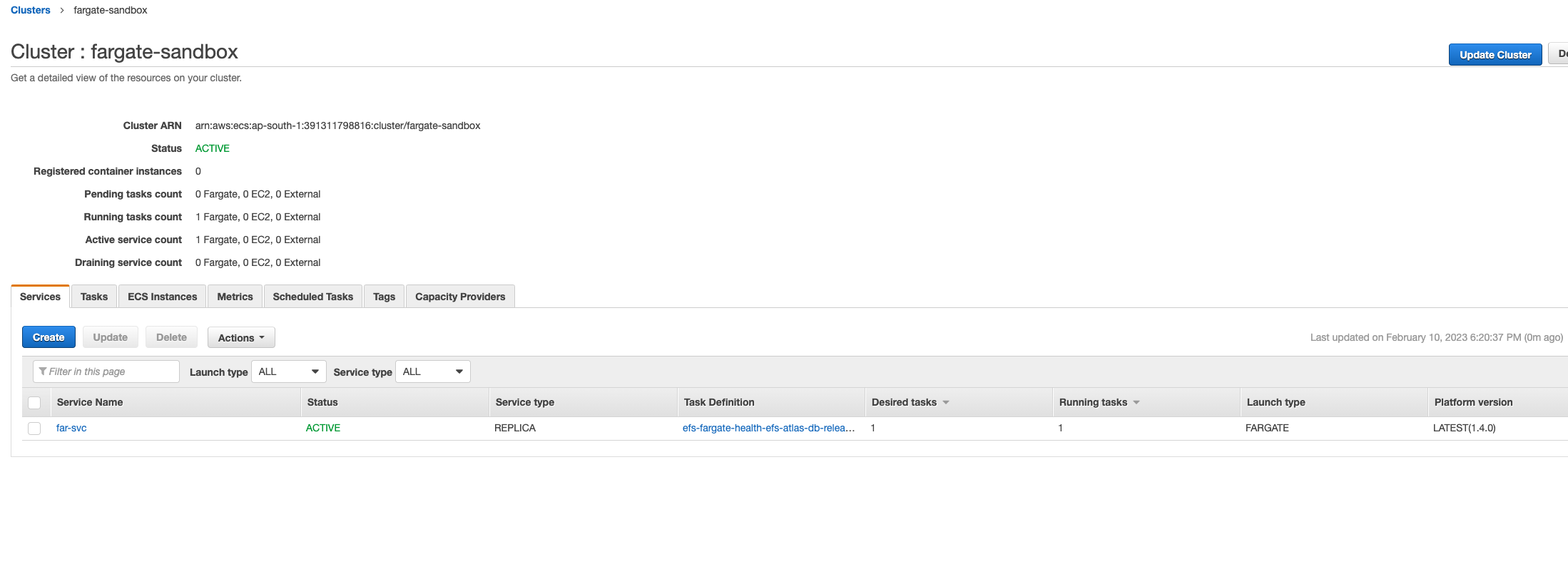
Navigate to the ECS cluster -
Select the service running Appsmith, and switch to the Tasks tab. Click the task running the Appsmith container. Important: You may need to switch the task filter to see the Stopped Tasks to find the task where the issue occurred if ECS rolled out a new task after the crash.
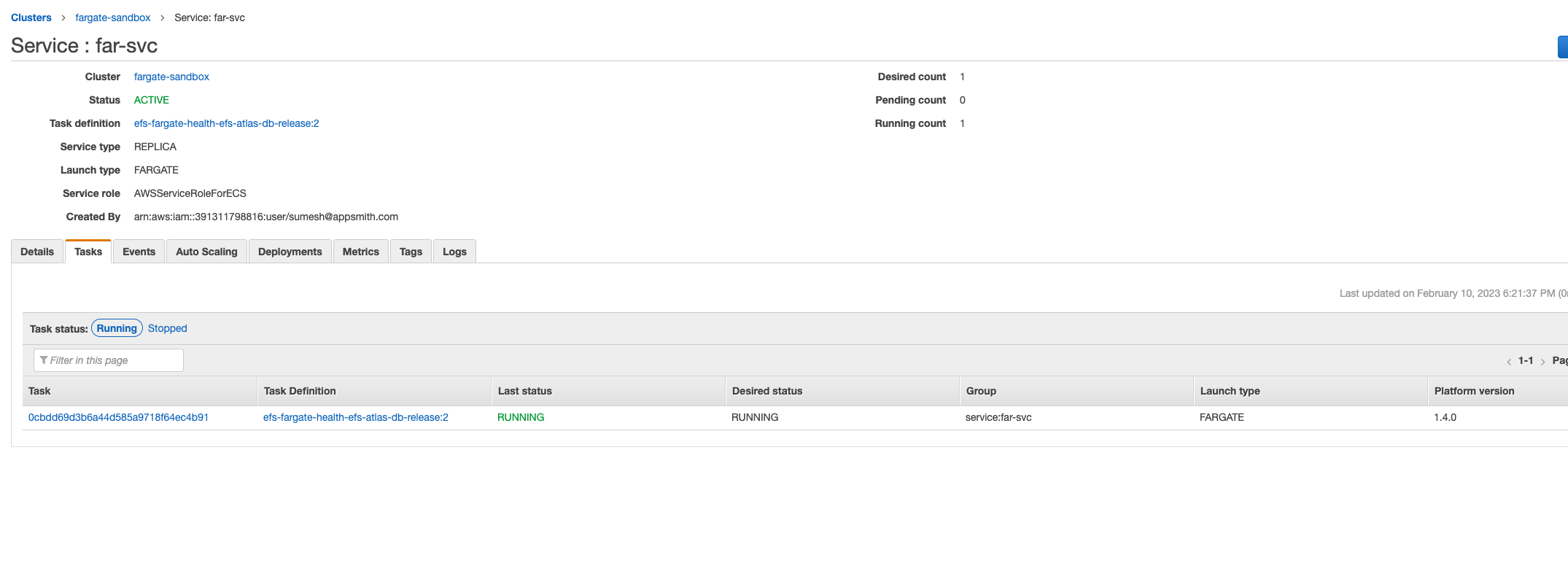
Select service and switch to the tasks tab -
In the Tasks page, find appsmith in the Container section, expand it, find the Log Configuration, and click view logs in CloudWatch.
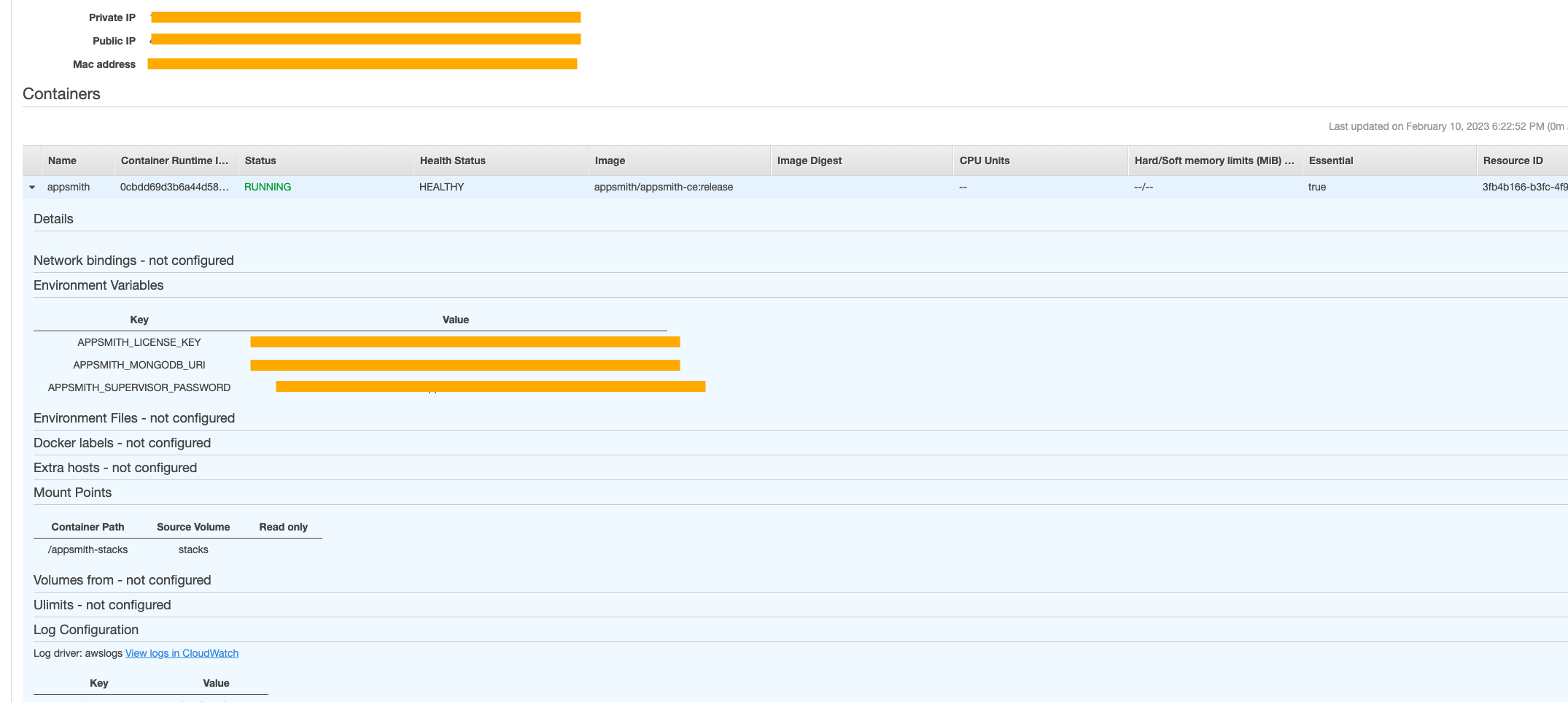
Log configuration -
In the CloudWatch Logs page, click the Actions button and hit
download search results in CSVto download the logs.
CloudWatch logs
Follow these steps to access logs for Appsmith containers running on AWS AMI:
-
SSH into the remote server and note the absolute path of the
stacksdirectory. -
If you don’t remember the path, use the
docker inspectcommand as shown in the Docker section to locate it. -
Exit from the remote server.
-
In your local shell, run the following command to copy the logs:
scp -r -C -i <your-ssh-key>.pem appsmith@<host-ip>:/home/appsmith/appsmith/stacks/logs/<service> <target-local-dir>
Follow these steps to access logs for Appsmith containers running on DigitalOcean:
-
SSH into the remote server and note the absolute path of the
stacksdirectory. -
If you don’t remember the path, use the
docker inspectcommand as shown in the Docker section to locate it. -
Exit from the remote server.
-
In your local shell, run the following command to copy the logs:
scp -r -C root@<host-ip>:/root/appsmith/stacks/logs/<service> <target-local-dir>
Follow these steps to access logs for Appsmith containers running on Azure Container Instances:
-
Navigate to your Storage Accounts in the Azure portal.
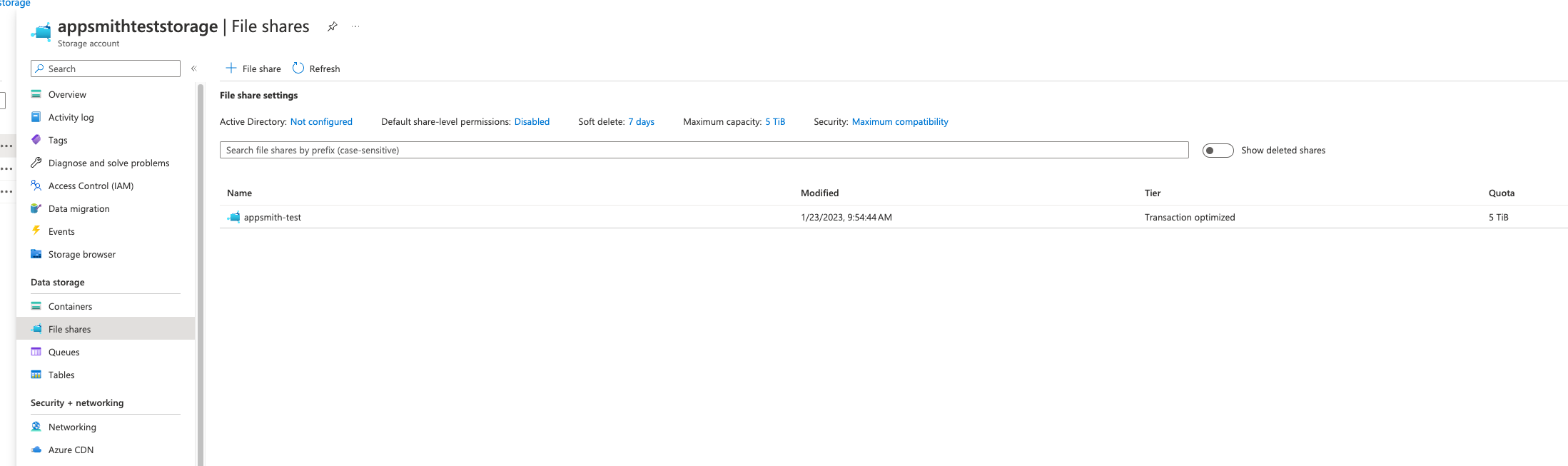
Storage account in Azure portal -
Click the File Share mounted to the Appsmith ACI instance.
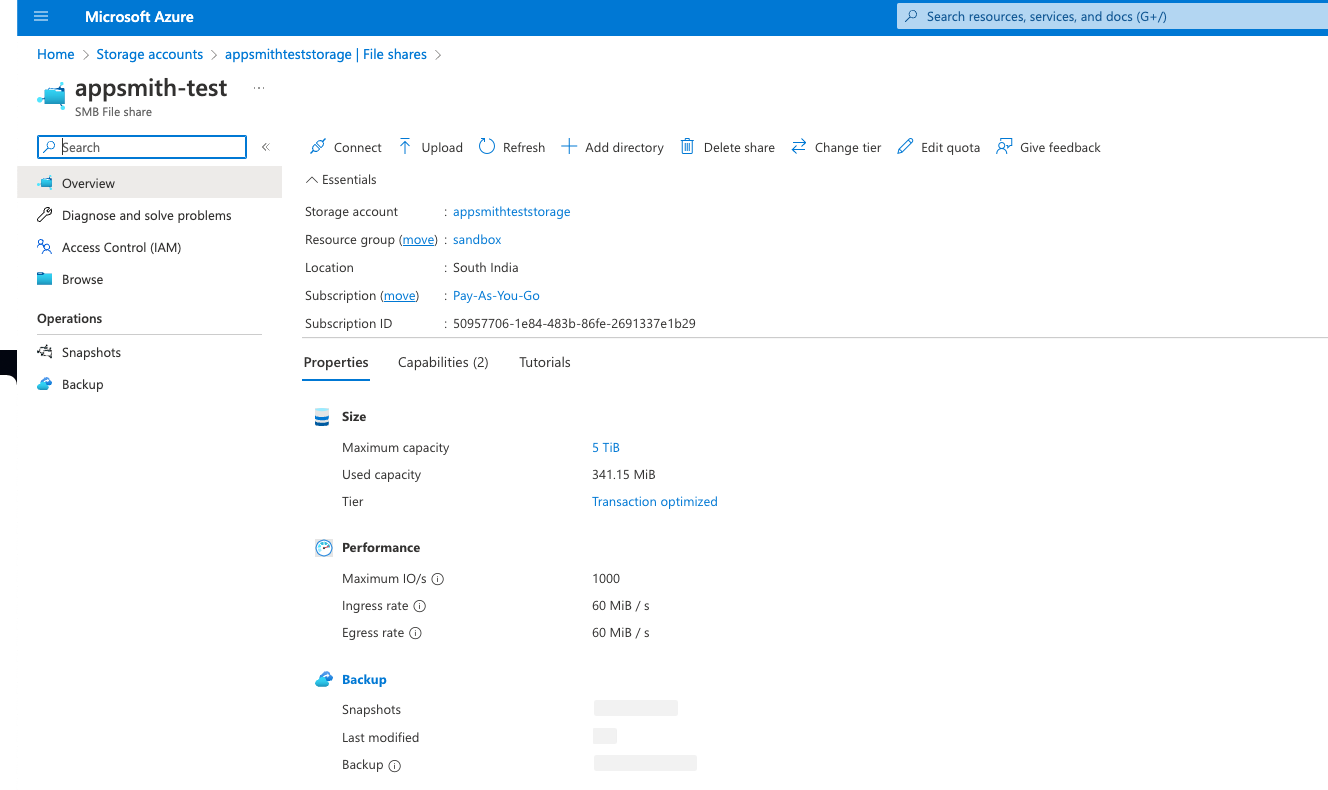
Click the File Share -
Click Browse on the sidebar menu.
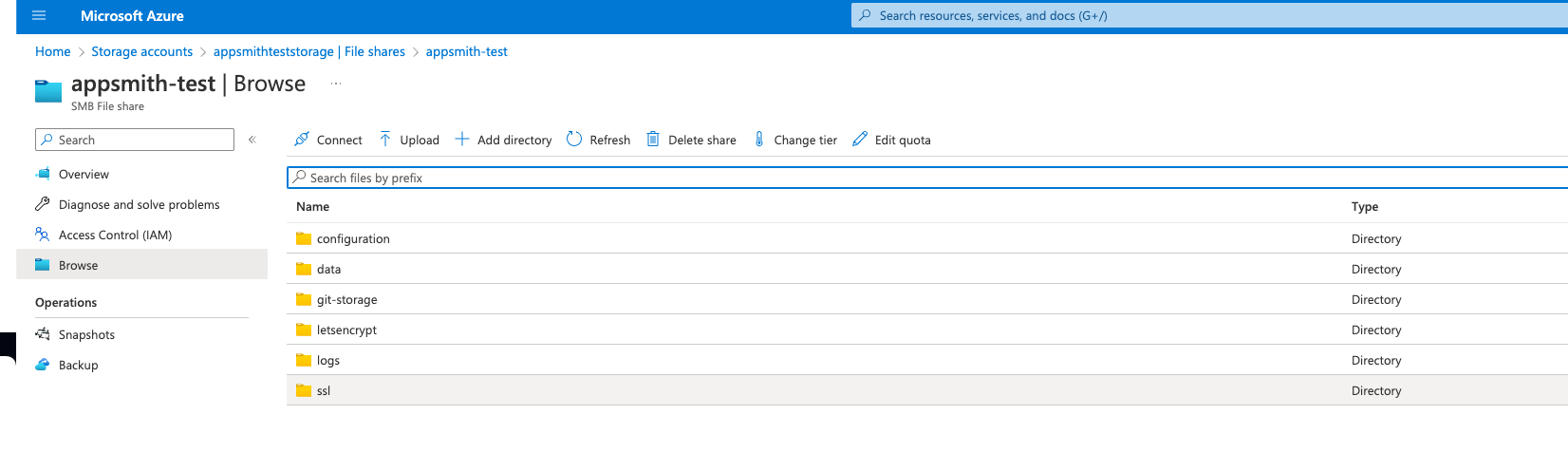
Click to Browse -
In the file share browser, open the
logs/directory. -
Open the directory for the service for which the logs are required.
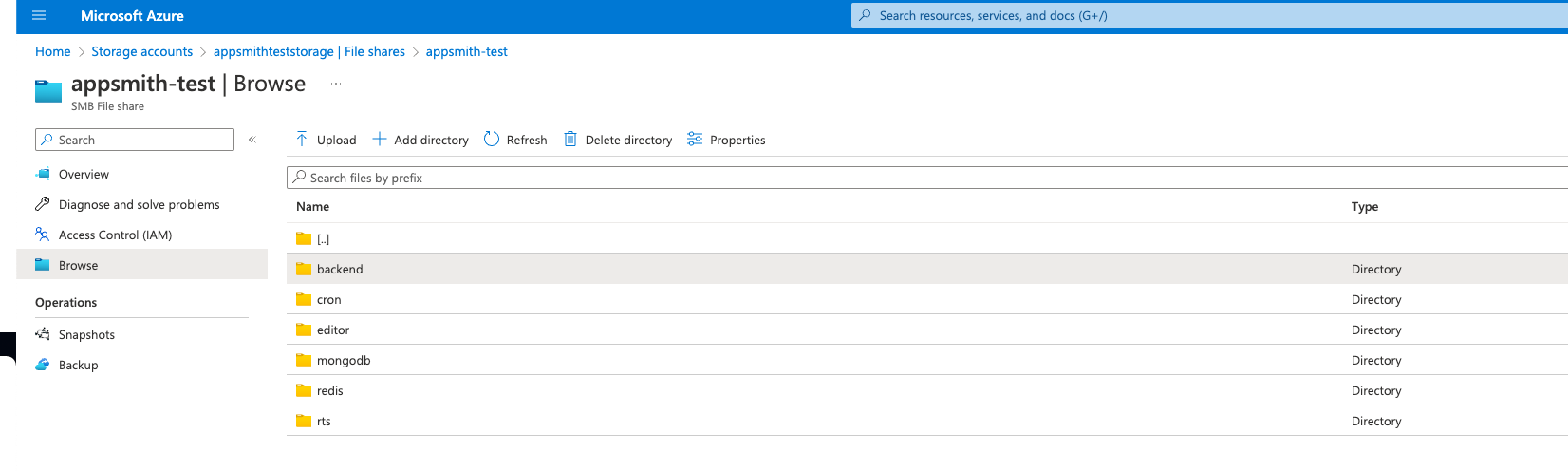
Select the log directory -
Select the log file and click download.
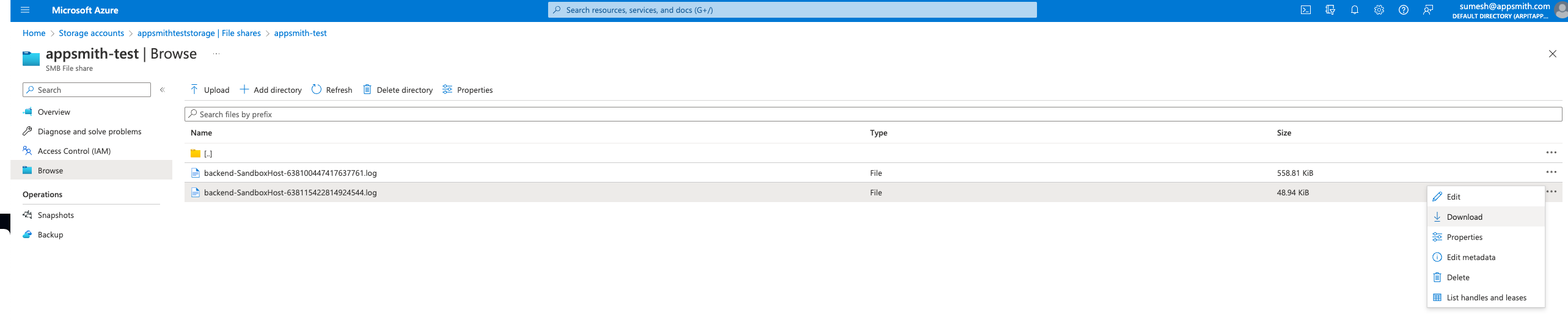
Download the log file You may also choose to access the logs of the container instance using the az container logs command.
az container logs --resource-group myResourceGroup --name mycontainer